
Desktop app · Free
An AI assistant and customer book for people who sell
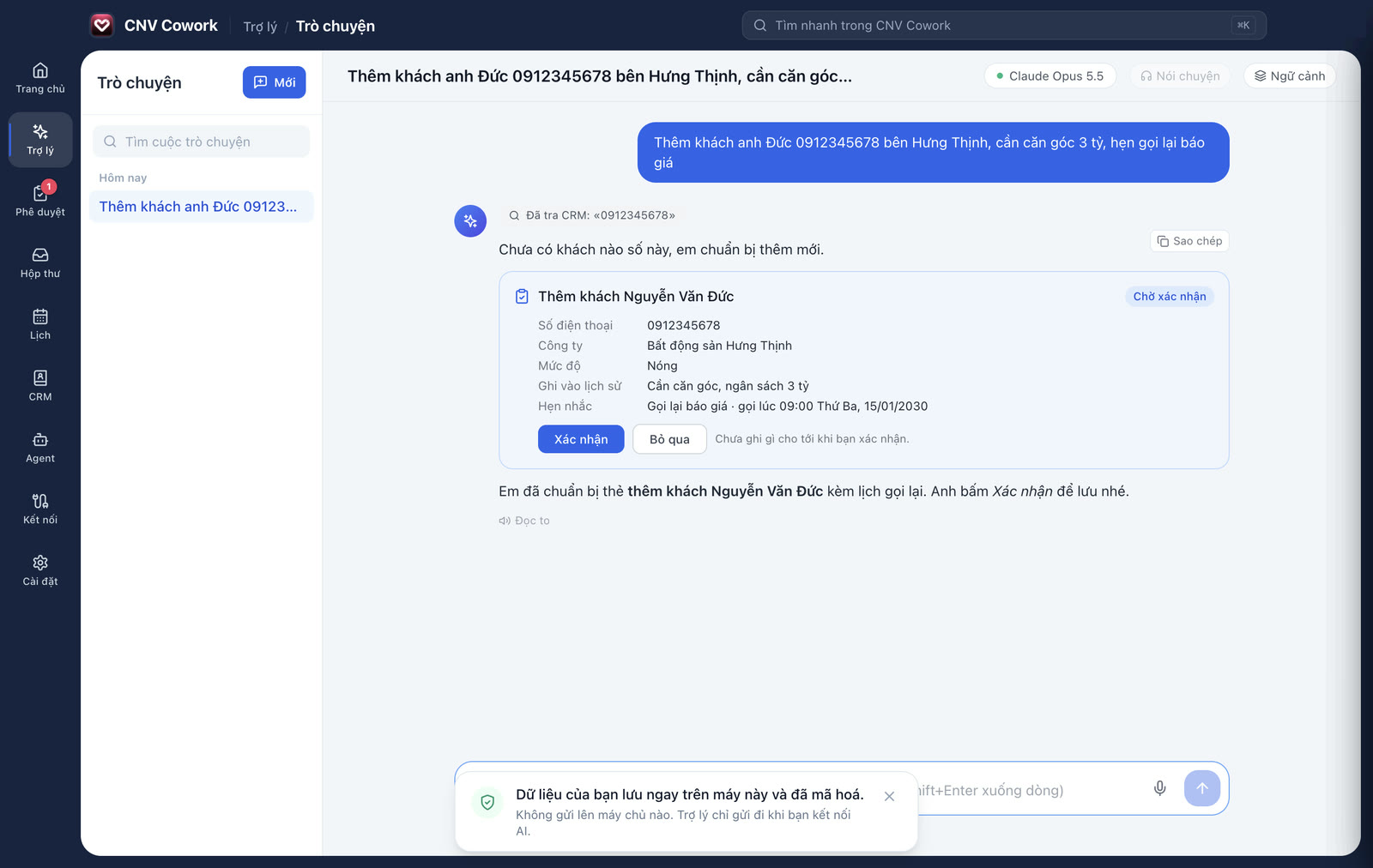
Say one sentence and the assistant gets it ready: add the customer, schedule a call back, draft a message, prepare a quote. Nothing is sent until you confirm. Your data stays on your computer.
Free download
Install and go, with a first-run guide.
Data on your computer
Encrypted on your computer; CNV keeps no copy.
You approve first
Nothing goes out until you click.
Your choice of AI
Claude, ChatGPT, Gemini or AI on your computer.
AI assistant
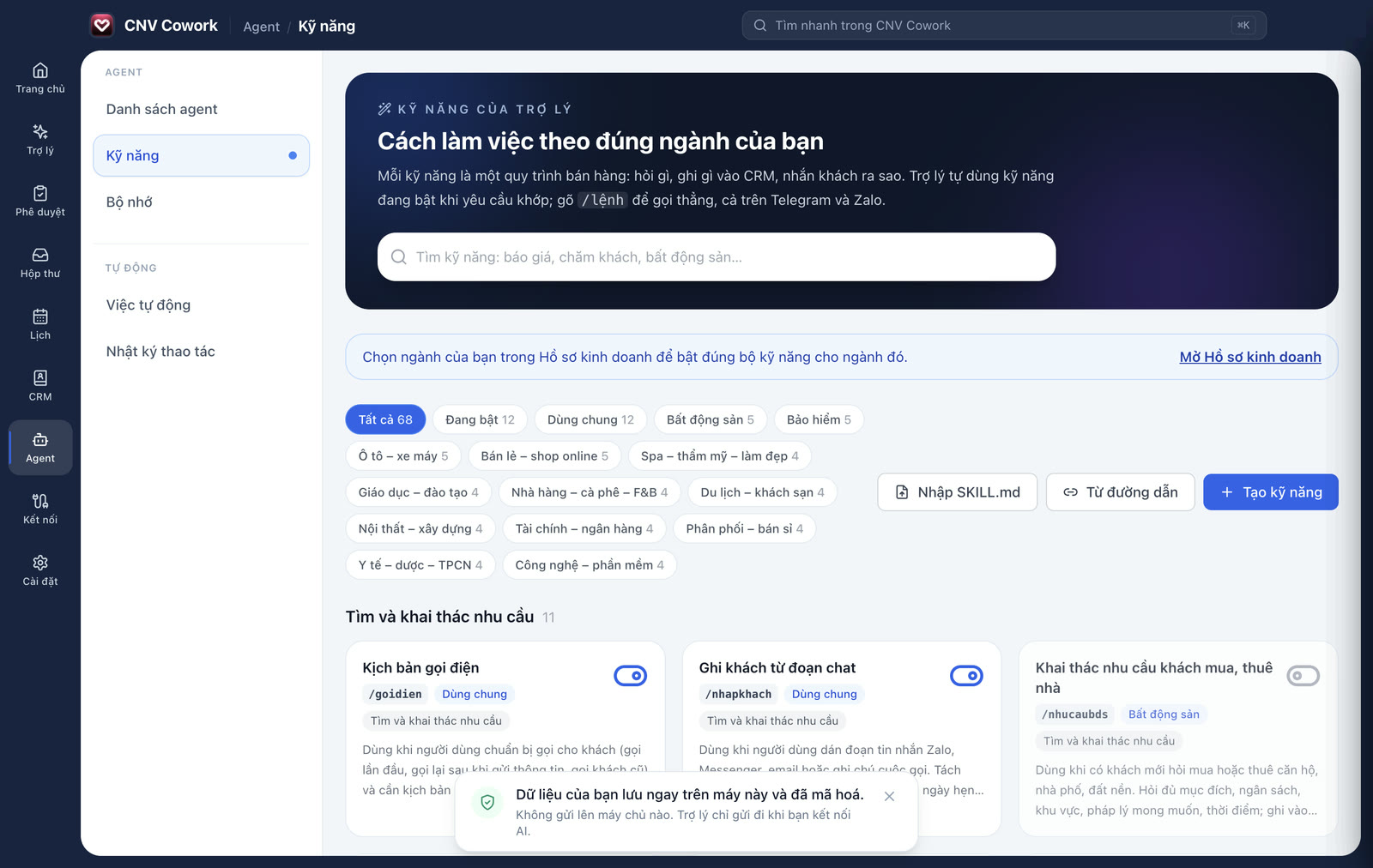
An assistant that knows your line of sales
Fill in your business profile once and the assistant works the way your industry does.
- Ready-made skills for 13 industries: real estate, insurance, cars, spas, education…
- Remembers what you tell it and answers from your own price lists and documents
- Speak instead of typing; send a Zalo chat screenshot or business card to log a customer
Customer book · CRM
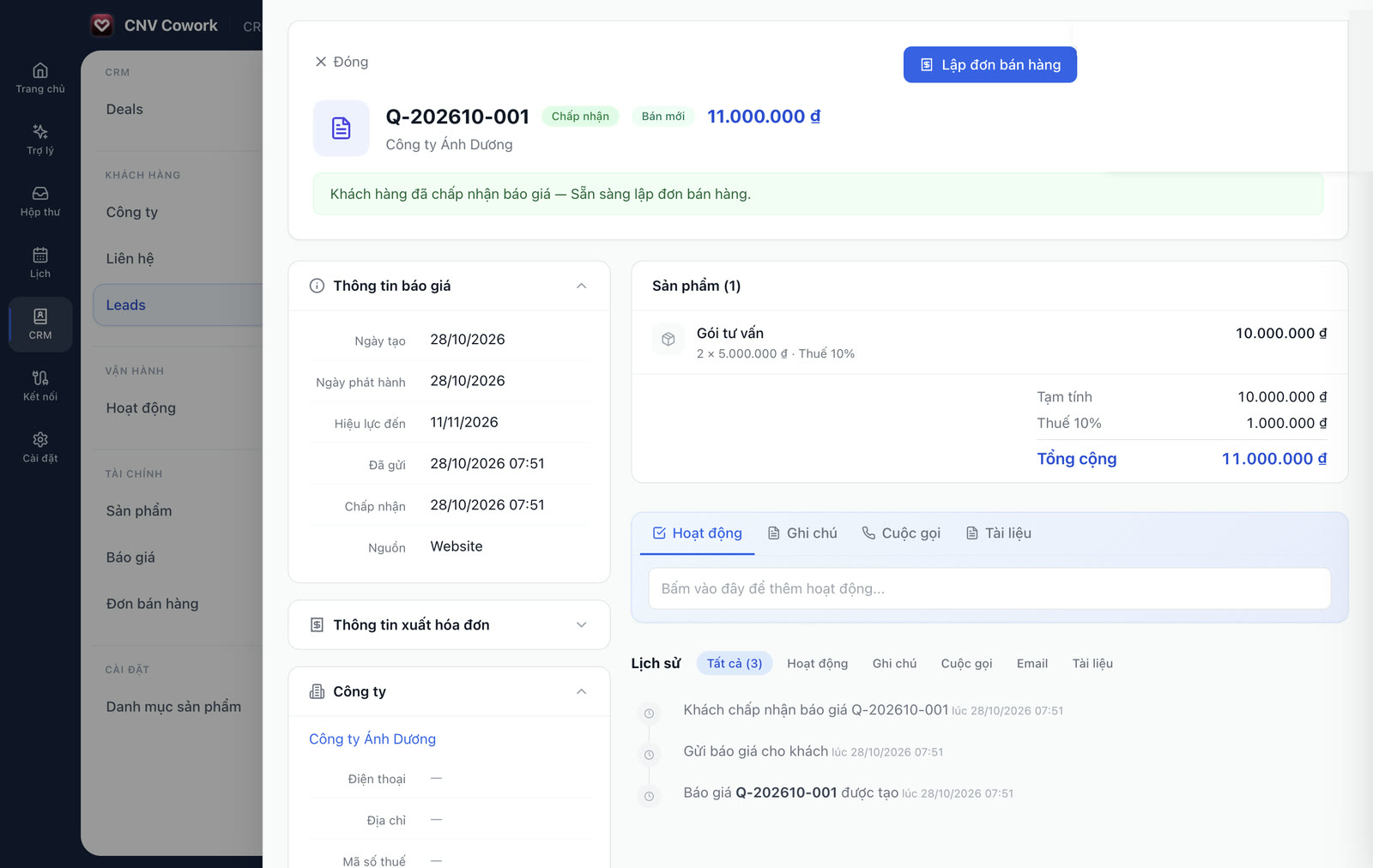
A customer book that works like CNV Work
Leads, customers, deals, quotes and sales orders, even before you connect any AI.
- Leads and deals on Kanban boards, dragged through each stage
- Quotes as PDF; once accepted, raise an order and record payments
- Notes, calls and meetings on each customer’s timeline
Approvals
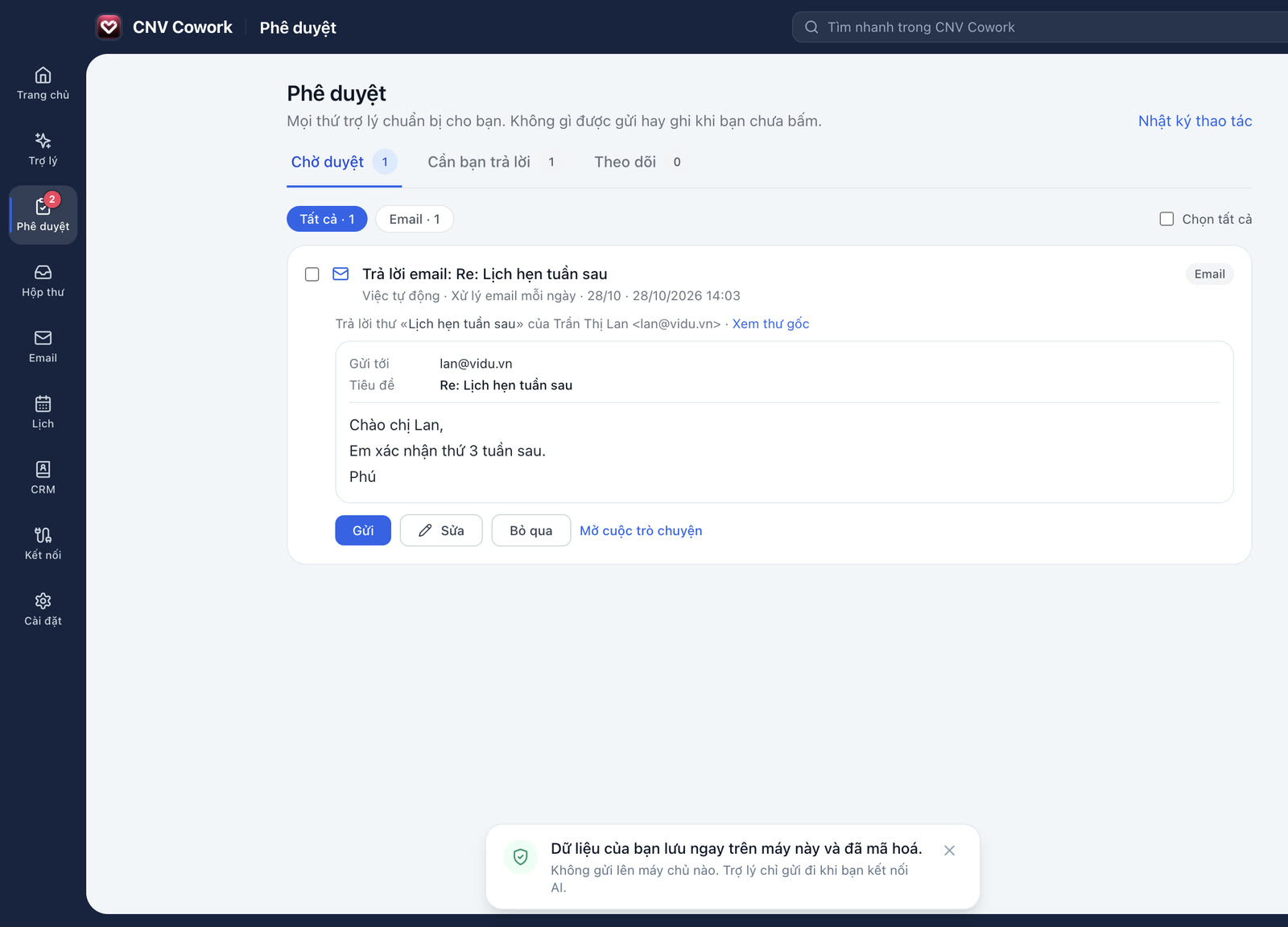
The assistant drafts, you decide what goes out
Every email and change the assistant proposes waits for you on one screen.
- Edit the recipient, subject and body before sending
- When a price or discount needs your call, the assistant asks
- A log records everything the assistant has done
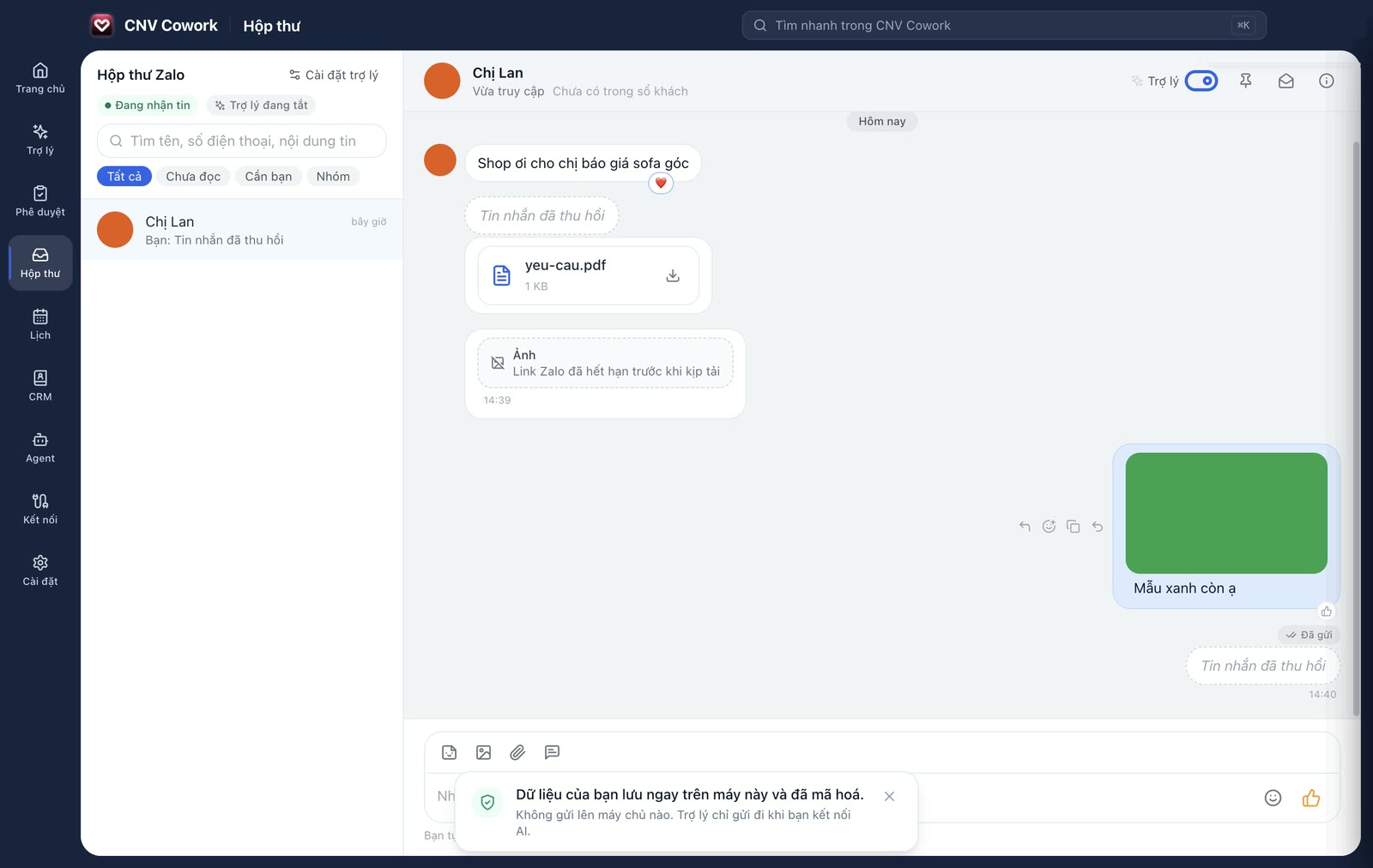
Zalo inbox
Zalo messages next to your customer book
Scan a QR code as with Zalo Web and customer messages appear in Cowork.
- Switch on the assistant and it replies from your price list and logs the customer
- When a customer wants a person or haggles, it stops and alerts you
- Photos, files and voice notes are stored encrypted on your computer
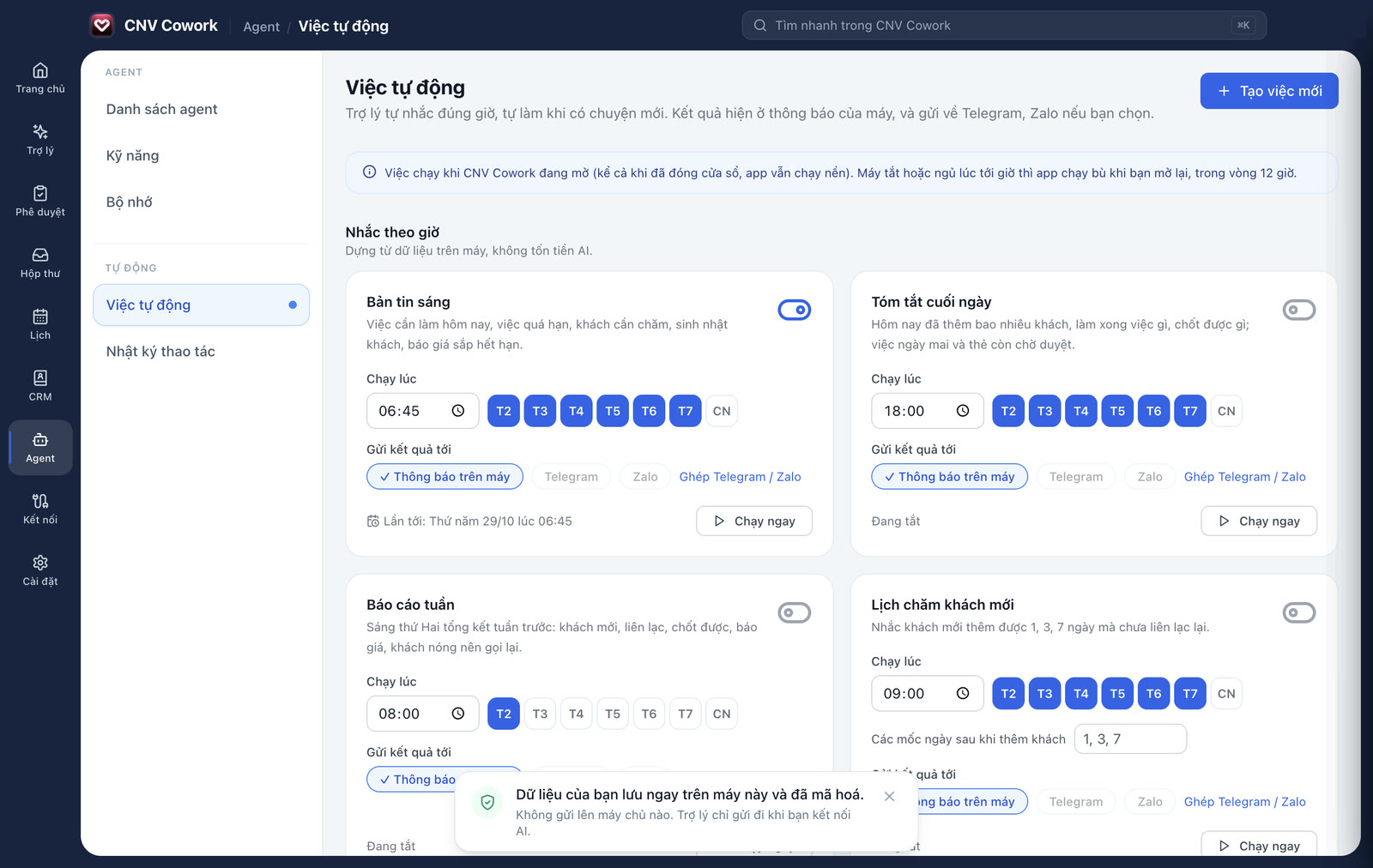
Automations
Routine work, handled on schedule
Switch on what you need; results arrive on your computer, Telegram or Zalo.
- Morning briefing, end-of-day summary and weekly report
- Follow-ups for new customers, nudges for quiet ones
- Reads email daily and drafts replies for you to approve
And more
Works with the tools you already use
Gmail and email
Customer emails land in their history.
Google Calendar
Customer meetings and your calendar in one place.
Telegram, Zalo Bot
Message the assistant when you are away from your desk.
Your Chrome
The assistant browses, never touching passwords or payments.
Script library
Sample projects the app downloads with one click.
AI spending cap
See what each AI call costs and set a monthly cap.
Download
Get the installer for your computer
Not sure which Mac you have? Apple menu › About This Mac shows the chip.
When the whole team sells
Cowork on your own, CNV Work for the team
Individual
CNV Cowork
Free
- Installed on your computer
- Data stays on your computer
- AI assistant, customer book, Zalo inbox
Business
CNV Work
14-day free trial
- Shared customers with role-based permissions
- Sales and performance reports for managers
- On the web, phones and desktop
FAQ
Frequently asked questions
Call 1900 636 400 or email support@cnvwork.com.
Hours: Monday – Saturday, 8:30 – 17:30 (GMT+7)
Does CNV Cowork cost anything?
The app is free. AI usage is paid directly to the provider whose key you connect, or free if you run AI on your computer (Ollama, LM Studio).
Where is my customer data stored?
On your computer, encrypted. CNV keeps no copy.
What do I need?
A Mac with Apple silicon or Intel on macOS 13 or later, or a 64-bit PC with Windows 10 / 11.
How is it different from CNV Work?
Cowork is for one person on one computer. CNV Work is for the whole company: shared customers, permissions and reports for managers.
Download CNV Cowork for free
Once installed, a short guide takes you to your first question for the assistant.
macOS 13+ (Apple silicon, Intel) · Windows 10 / 11